
Download Teeth Timer – teeth timer, dental hygiene, brush teeth, oral care, dental reminder, toothbrush timer, health app, free dental app
Overview
Teeth Timer is a free Android application designed to support users in maintaining consistent and effective dental hygiene routines. The app serves as a personal dental hygiene assistant, helping individuals adhere to the recommended practice of brushing teeth twice daily for two full minutes. By integrating time-based reminders and a built-in timer, the software aims to reduce the risk of tooth decay, gum disease, and other oral health issues associated with inconsistent brushing habits. Target users include individuals of all ages who seek to build or reinforce healthy oral care routines, particularly those who struggle with memory-based habits or time management during daily hygiene practices.
The app’s core functionality revolves around timely prompts and structured brushing sessions. It enables users to set morning and evening alarms to ensure they brush at consistent intervals. A dedicated 2-minute timer runs during each brushing session, providing a visual and auditory cue to maintain brushing duration. The app also includes 30-second reminders that guide users to brush each section of their mouth, promoting thorough coverage and minimizing missed areas. The use of vibration adds a tactile cue, enhancing the effectiveness of reminders, especially in noisy or distracting environments.
Developed by AppSolutions, Teeth Timer focuses on simplicity and accessibility. It is intended for users who want a lightweight, no-frills solution to improve oral health through consistent habits. While the developer did not provide additional information about their background or broader product lineup, the app’s design reflects a clear emphasis on usability and functionality. Real-world usage scenarios include daily routines in homes, dormitories, and workplaces where users may overlook brushing due to busy schedules. The app is particularly useful for children, students, and adults managing multiple health-related tasks.
Key Features & Capabilities
- 2-Minute Brushing Timer: The app features a precise 2-minute countdown timer that ensures users brush for the recommended duration, aligning with dental health guidelines. This helps prevent under-brushing, which is a common cause of plaque buildup.
- Morning and Evening Alarms: Users can set custom alarms for both morning and evening brushing sessions, helping to establish a routine and reduce the likelihood of forgetting a session.
- 30-Second Section Reminders: The app sends periodic 30-second alerts during brushing to guide users to move to the next section of their mouth, promoting even coverage and thorough cleaning.
- Vibration Alerts: A built-in vibration function provides tactile feedback, reinforcing the reminder to brush and ensuring awareness even in environments where sound may be blocked or ignored.
- Simple, User-Friendly Interface: The design prioritizes ease of use with minimal navigation, making it accessible for users of all ages, including children and older adults.
- Free Access with No In-App Purchases: The app is available at no cost, with no advertisements or premium features, supporting broad accessibility and long-term use.
These features collectively support the development of consistent oral hygiene habits. For example, a college student with a tight schedule can rely on the alarm system to prompt brushing after waking and before bed. A parent can use the app to teach a child proper brushing duration and technique. The timer’s structure also helps users who tend to rush through brushing, ensuring they spend adequate time on each tooth.
User Interface, Workflow & Performance
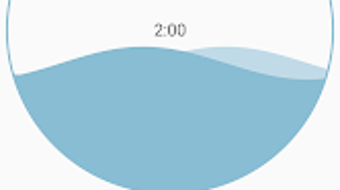
Teeth Timer features a clean and minimal user interface, optimized for quick access to core functions. The main screen displays the active timer, with a clear visual countdown and a simple start/stop button. Navigation is intuitive, requiring minimal interaction to set alarms or adjust settings. The layout avoids clutter, focusing on essential elements such as the timer display, alarm indicators, and reminder notifications.
Workflow efficiency is high, as users can activate the timer and set alarms with just a few taps. The app’s design supports immediate use without requiring onboarding or account creation. This streamlined process reduces friction and encourages consistent engagement. The app operates in the background during brushing sessions, ensuring reminders and timers function reliably.
Performance details were not specified by the developer. However, based on the app’s lightweight nature and functionality, it is expected to run smoothly on most Android devices. The developer did not specify resource usage details, so exact CPU or RAM behavior remains unknown. Stability is assumed to be adequate for a single-purpose utility, but no user-reported issues were provided. The app does not require constant internet access, operating fully offline after installation.
Compatibility & System Requirements
Teeth Timer is designed for Android devices, with version 1.5.2 being the current release. The installation size is 12.4 MB, indicating a lightweight footprint suitable for devices with limited storage. The app is compatible with Android operating systems, though the specific version range was not provided.
Exact system requirements were not listed. The developer did not specify minimum Android version, processor architecture, or RAM thresholds. As such, compatibility with older or newer Android versions remains uncertain. However, given the app’s small size and simple functionality, it is likely to run on a wide range of Android devices, including entry-level smartphones and tablets.
Installation is straightforward, requiring only standard Android permissions such as access to the device’s alarm system and vibration hardware. No additional software or drivers are needed. The app does not require a Google account or cloud synchronization, ensuring privacy and independence from external services.
Pros and Cons
Pros
- Free to download and use with no ads or in-app purchases
- Simple, intuitive interface suitable for all age groups
- Effective 2-minute timer aligned with dental health recommendations
- Customizable morning and evening alarms for routine consistency
- 30-second section reminders promote thorough brushing coverage
- Vibration alerts enhance usability in noisy environments
- Lightweight size (12.4 MB) ensures compatibility with low-storage devices
Cons
- Compatibility with specific Android versions was not specified
- No advanced tracking or progress reporting features
- Limited customization options for reminders or timer settings
- Developer background and support information are not publicly available
- Offline functionality may limit long-term habit analysis
FAQ Section
Is Teeth Timer available for iOS devices?
Teeth Timer is currently available only for Android. There is no information about an iOS version.
Does the app require an internet connection?
No, Teeth Timer operates fully offline. It does not need internet access to function, making it suitable for use in areas with poor connectivity.
Can I customize the reminder intervals?
The app sends 30-second reminders during brushing, but the exact customization options for timing or frequency were not provided.
Is the app safe to use?
Yes, the app is free from malware and does not collect personal data. It uses standard Android permissions without requiring sensitive access.
How often does the app update?
Version 1.5.2 was released on April 12, 2023. No information is available about future update frequency or release schedule.
Final Thoughts
Teeth Timer offers a focused, no-nonsense solution for individuals aiming to improve their dental hygiene through consistent brushing habits. Its core features—timed brushing, alarm reminders, and tactile alerts—are well-aligned with established oral care best practices. The app’s simplicity and free availability make it accessible to a broad audience, from children learning proper brushing techniques to adults seeking to maintain healthy routines.
While it lacks advanced tracking or data visualization, its strength lies in reliability and ease of use. For users who value straightforward tools over complex dashboards, Teeth Timer delivers exactly what it promises. The absence of ads, in-app purchases, or data collection enhances its trustworthiness and long-term usability.
Overall, Teeth Timer is a practical and secure utility for anyone committed to better oral health. Whether used as a standalone habit tracker or as part of a broader wellness routine, it provides consistent support with minimal effort. Download Teeth Timer now and start building healthier habits today.






.png)
